Setting Up Your New Online Account
Setting Up Your New Online Account
PROBLEMS SETTING UP NEW ACCOUNT WITH CITY?
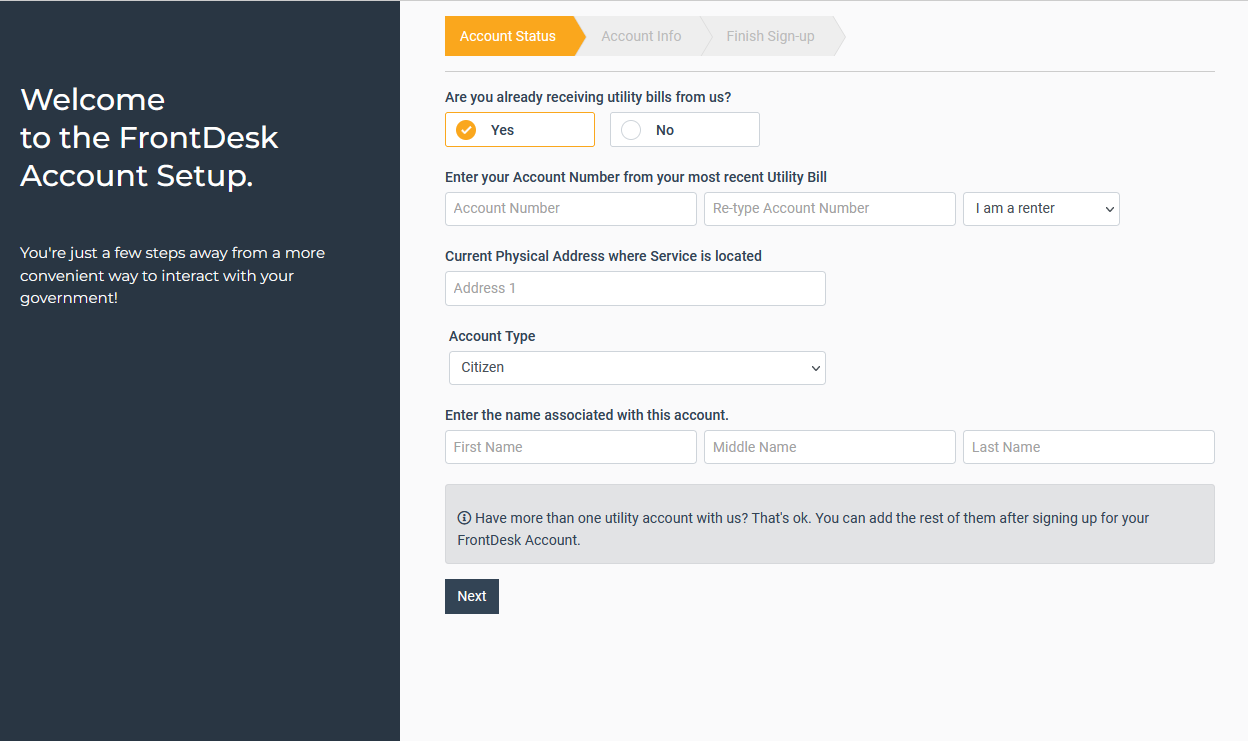
When setting up your account with the city, it would be advisable to have your utility bill available. Please use the account number and address exactly as it states on the top right hand side of the bill. The physical address should be entered in ALL CAPS. You will find your name associated with the account on the bottom left hand side of the bill. To set up your online account, go to the following link and click on Create Now under the Login button: https://www.newhavenmo.org/login.html